Welcome to RollerAds, the full-cycle ad network!
This guide will help you get accustomed to the dashboard, pick an offer, set up postbacks, link a wallet, and watch the first results. So let’s get to work, we have lots of things to cover!
Quick navigation: Dashboard
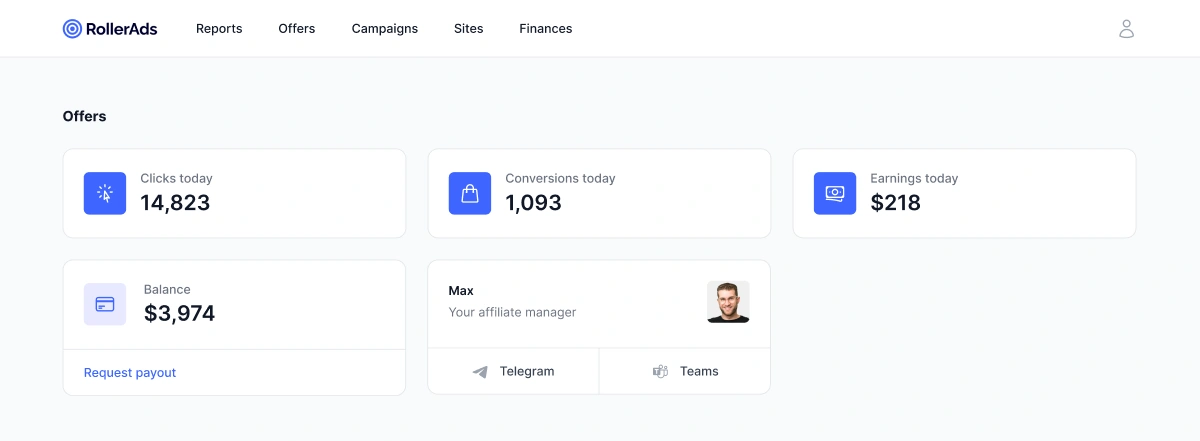
After logging in, you get to the Dashboard page, which includes:
- Clicks, conversions, and daily income—all the stats are updated in real time.
- Account balance—how much funding you have available for ad campaigns.
- Manager’s contact—for immediate help via Telegram or MS Teams.
If you don’t have an account manager (AM) assigned yet, click on the support widget in the bottom-right corner to ask any questions—our support team will be happy to help. Or head to the FAQ section, which has answers to a wide range of issues—where you’ll definitely find the one for yours.
From the menu in the upper header, you can navigate to:
- Reports—in-depth stats on all the offers.
- Offers—a list with offers (more on that will be explained below).
- Campaigns and Sites—find more details below.
Offers tab: All you need for productive work
We have gathered numerous converting and verified offers here, including some in-house products with special terms. Let’s go through everything one by one.
List of offers
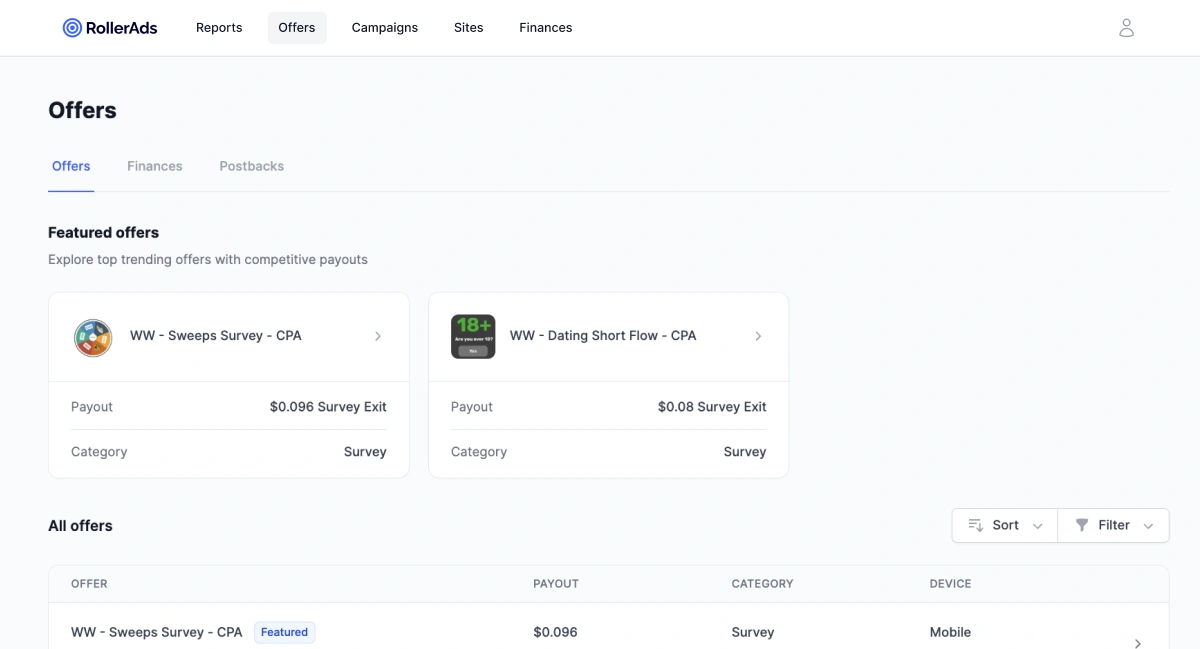
The page with Offers includes two parts:
1. Featured. Top-rated offers with the best performance (CR/EPC), up-to-date GEOs, and converting verticals. It’s a great start if you don’t know where to begin.
2. All offers. The complete list of products and services. Filter and sort them by payouts, categories, GEOs, devices, or names to narrow down the selection.
Every line is clickable and redirects to the in-depth offer description with terms, conditions, and other information.
Finances: Control your payouts
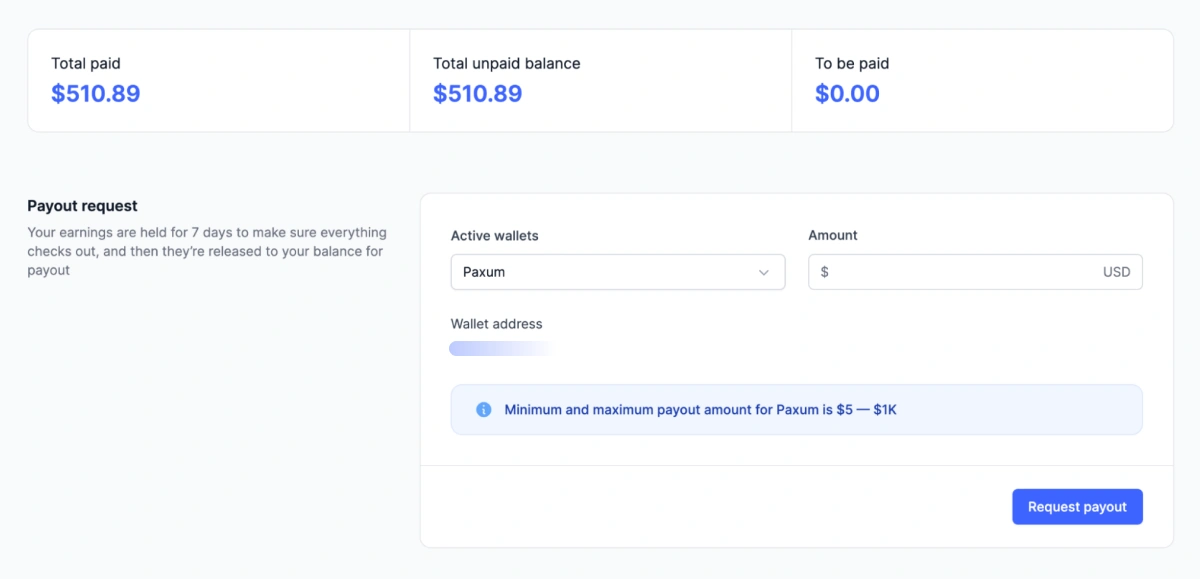
This section is where you can:
- Add a new wallet (New payout method → pick your preferred method → enter the address → Save).
- Monitor the history of all payouts.
Postbacks: Integration with a tracker
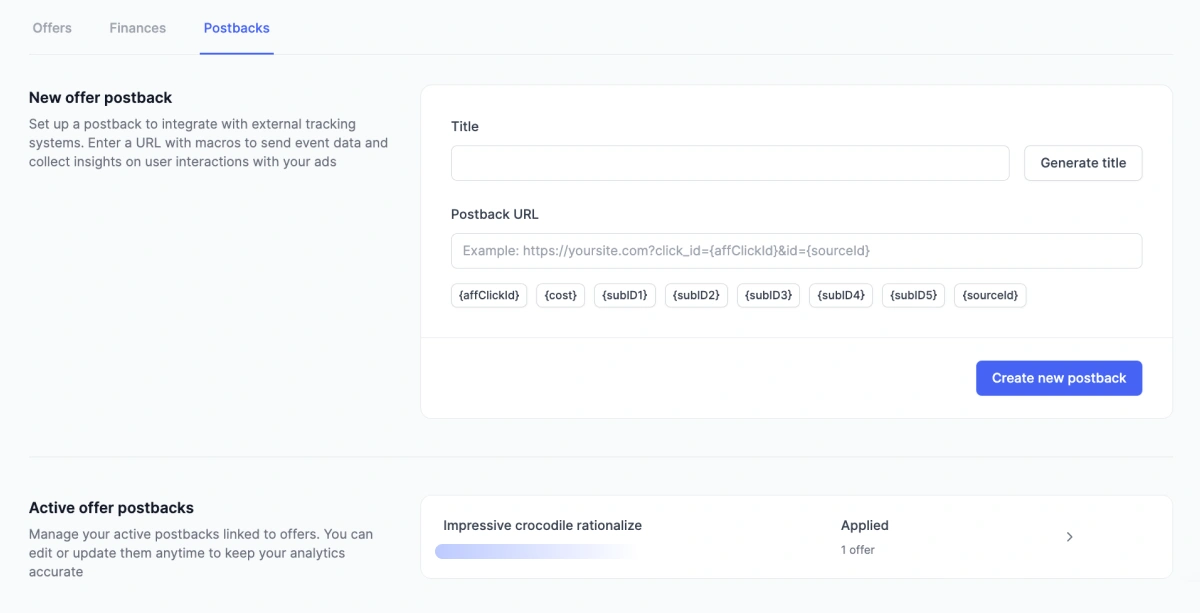
On this page, you can integrate 3rd-party trackers to send the data on conversions there and conduct in-depth analytics.
How to set it up:
- Copy your postback URL from the tracker of choice.
- Paste it in the New offer postback field and add all the necessary macros.
- Attach your postback to one or a few offers to enable data transfer.
You can edit the existing ones in the Active offer postbacks block.
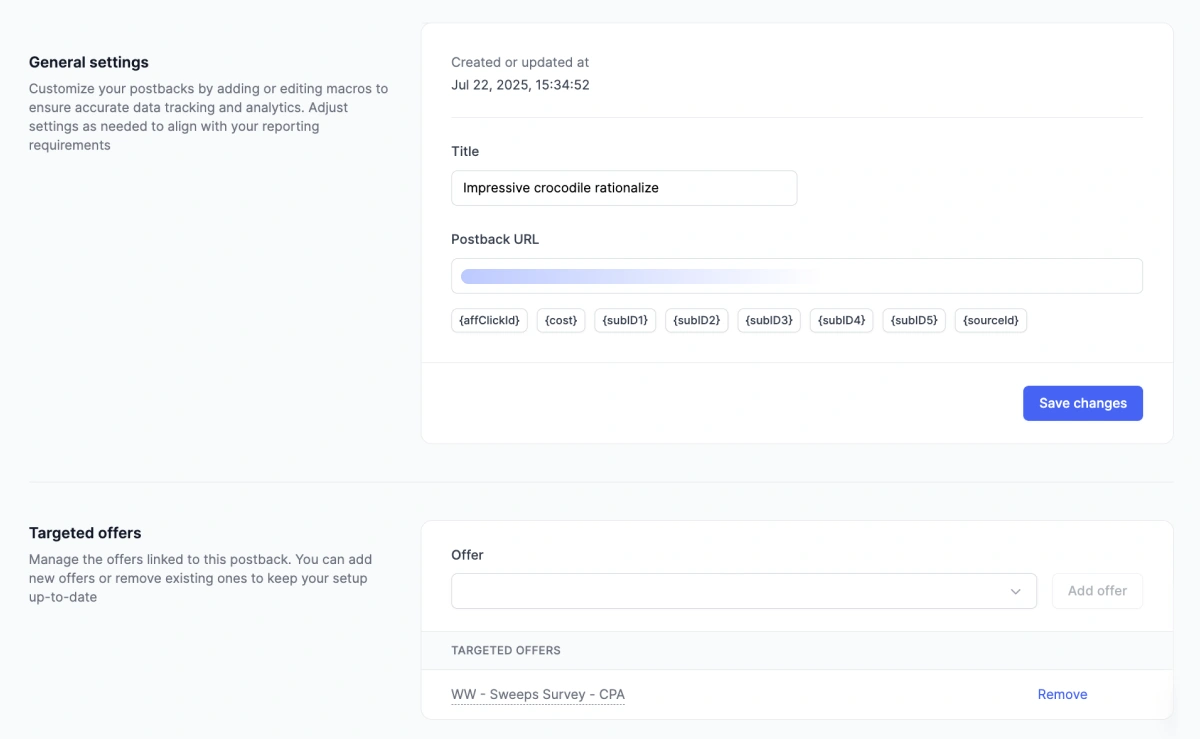
Important: For the statistics to display conversions, you need to set up a postback.
Offer page
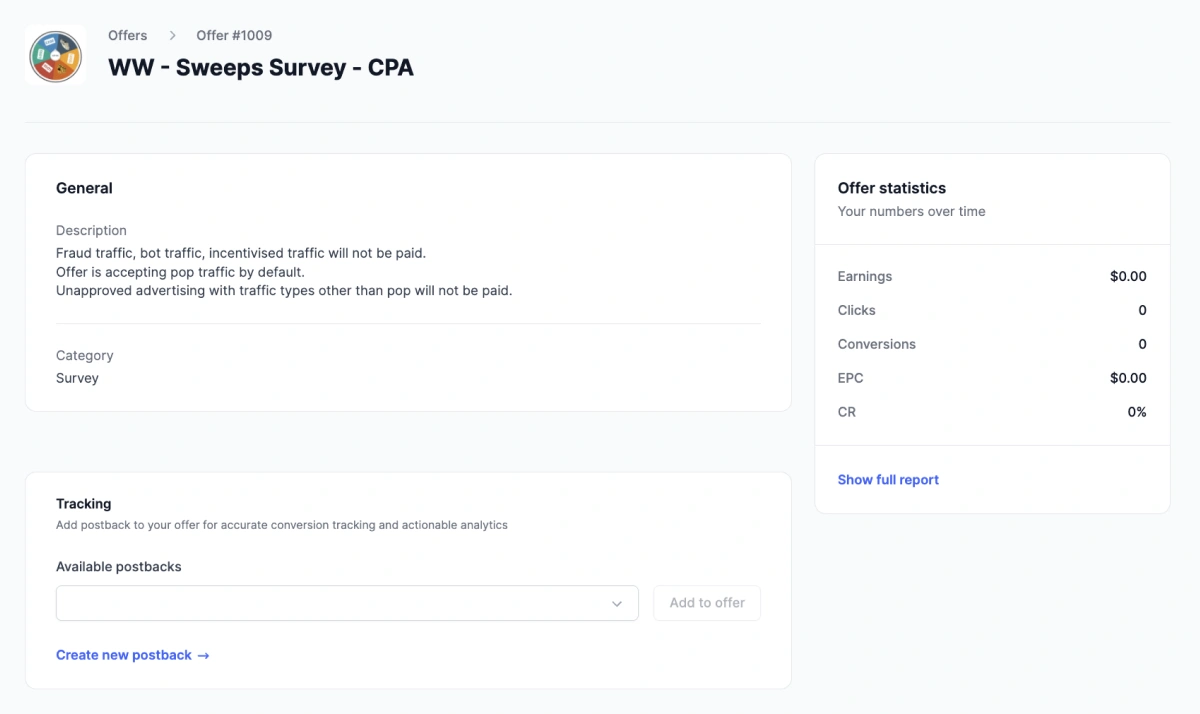
After selecting an offer on the list, you’ll find its full terms description on a special card. RollerAds features a selection of payment options within a single offer (differing by GEOs, payout models, etc.).
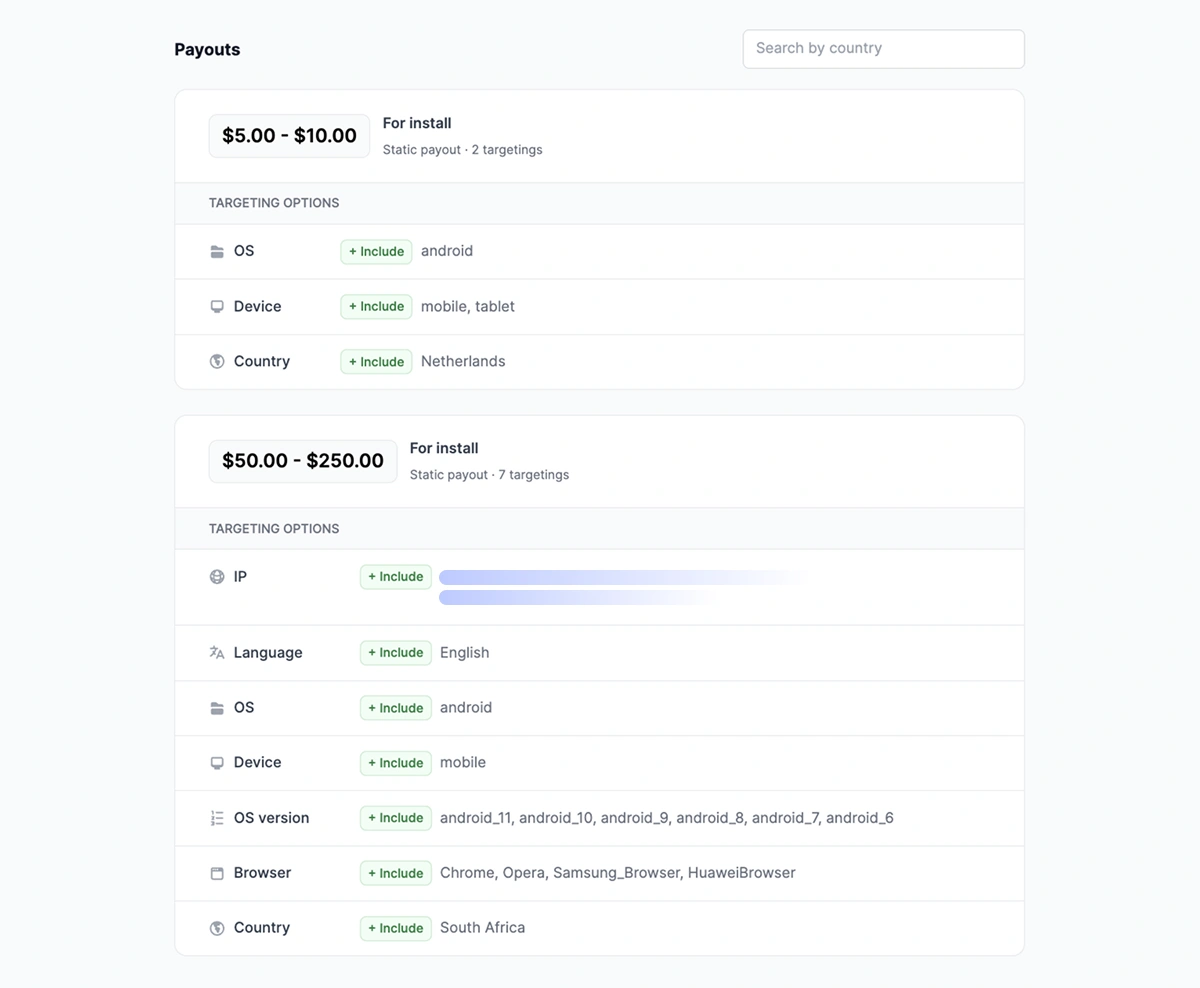
How to work with the payout options:
- Pay attention to targeting and limitations for every option.
- Remember that there is a single tracking link, but the conversions paid include the selected option only.
For example: An offer has two payment options—NL‑Android‑Mobile and FR‑iOS‑Mobile. If you prefer the NL-Android option, make sure that your channels of traffic are limited to these parameters only. Neither desktop nor iOS conversions will count.
On this page you can also:
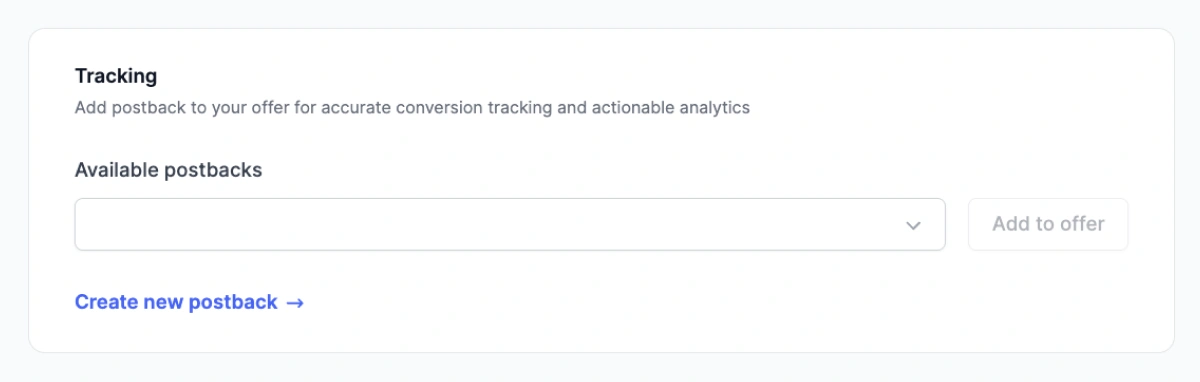
- Attach one or a few created postbacks.
- Add analytics parameters to your tracking link.
- Copy the link to launch a campaign in any other network.
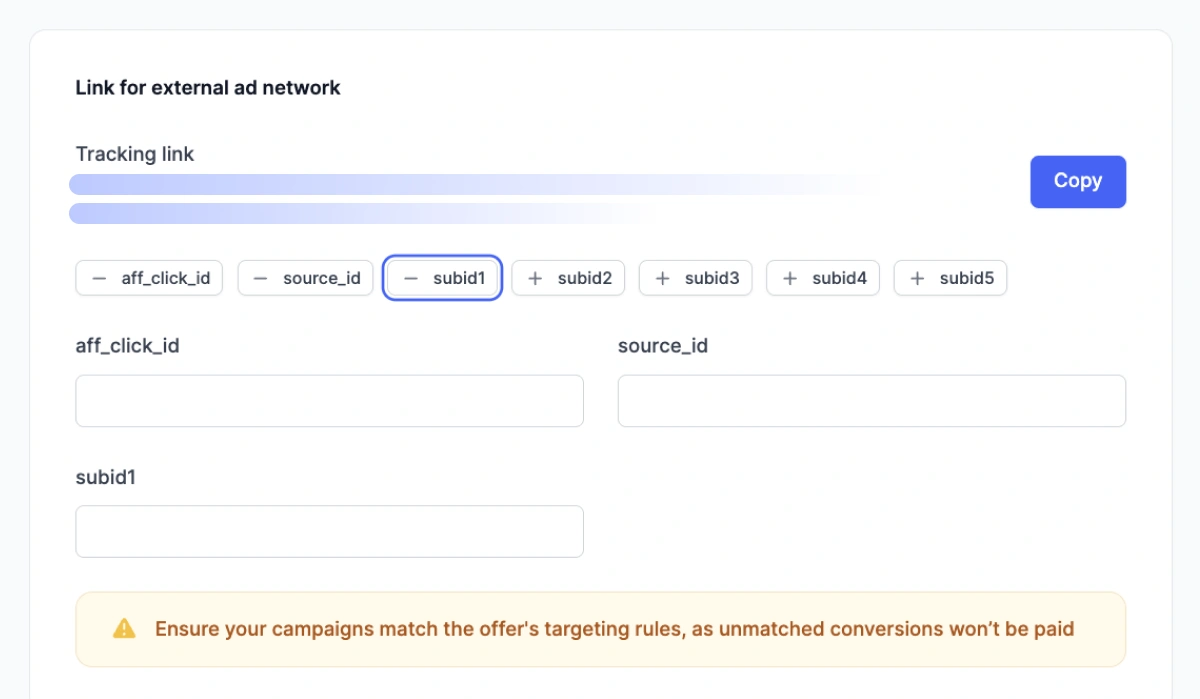
That’s it! All you have to do now is launch campaigns and monitor the results. This is where our Reports section comes in handy, featuring convenient analytics on all active offers.
Reports: Analytics and optimization
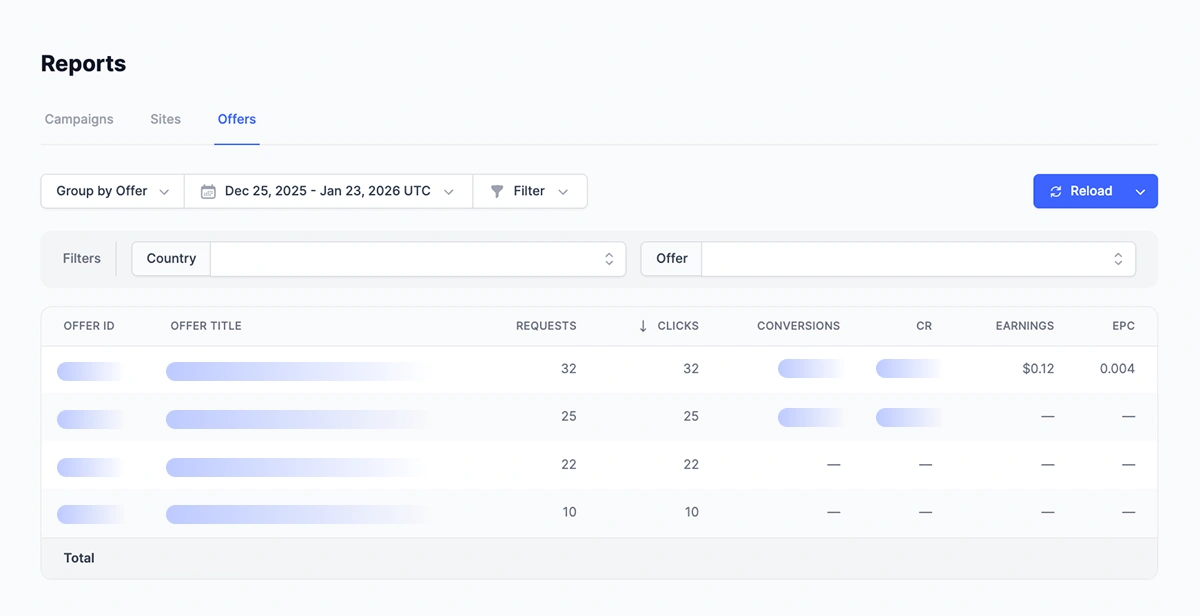
The Reports section shows the results for all the offers you have worked with or are working on now. The summary on top displays daily data grouped by offer. The sheet below displays detailed statistics on every offer (you can tweak the grouping in any way you want).
What you can do:
- Change the period (day/week/month/custom).
- Group by offer, period (hour/day/week/year), GEO.
- Sort by click, conversion, Earning Per Click (EPC).
- Download the report in CSV for analysis.
Cross-roles: Campaigns and Sites
Last but not least, let’s discuss extra roles.
An important and unique part of our platform is that when you make an account to work with offers, you can also set up extra sections, namely Campaigns and Sites.
With RollerAds, you can use a single account to profit in three ways:
- Offers: Affiliate marketing at its best (this whole guide is about that).
- Campaigns: Launch your ad within our platform—pick an offer, add funds to your account, and launch a Push/In-Page Push/OnClick/Direct Click campaign.
- Sites: Connect Push notifications/OnClick (or add back button functionality) to your landing and get passive income from subscriptions. If you have a full-scale website, your monetization options become even broader.
Next steps
- Read other articles in our blog, head to FAQ, or contact your account manager (find the icon in your dashboard). Subscribe to our social networks and join the Telegram chat (all the links are below).
- Set up your postback and wallet if you haven’t yet.
- Pick an offer → run some traffic → watch your first conversions in stats.
Best of luck, and let the conversions fire! 🔥