We’ve recently introduced a new ad format created to drive conversions from highly engaged users—Direct Click. If you missed the announcement, there’s a detailed article on our blog, complete with a video walkthrough by Pierre Bertin, Head of Business Development at RollerAds. He explains, step by step, how to launch a Direct Click campaign. Be sure to check it out before diving in here.
While we wait for everyone to catch up, let’s quickly revisit how Direct Click works and why it’s worth trying. Let’s get started!
What is Direct Click?
Direct Click is an ad format that works as a pop-up window or tab, triggered when users intentionally interact with high-traffic areas of a website. Think of the most engaging elements of a site, like buttons “Download” or “Learn More”. When users click, they’re directed straight to your offer, creating a path to better conversions.
Why Direct Click is Worth Trying
First, it provides premium-quality traffic, and you only pay for clicks that lead users directly to your offer. Plus, there’s no need for creatives, and you can still leverage all standard targeting options.
Still not convinced? The numbers below might just change your mind.
Direct Click in Action
To showcase the potential of Direct Click, we’ve decided to run a campaign targeting Tier-1 countries and chose a VPN offer as a solid test case.
Vertical: Utilities
Category: VPN
GEO: US
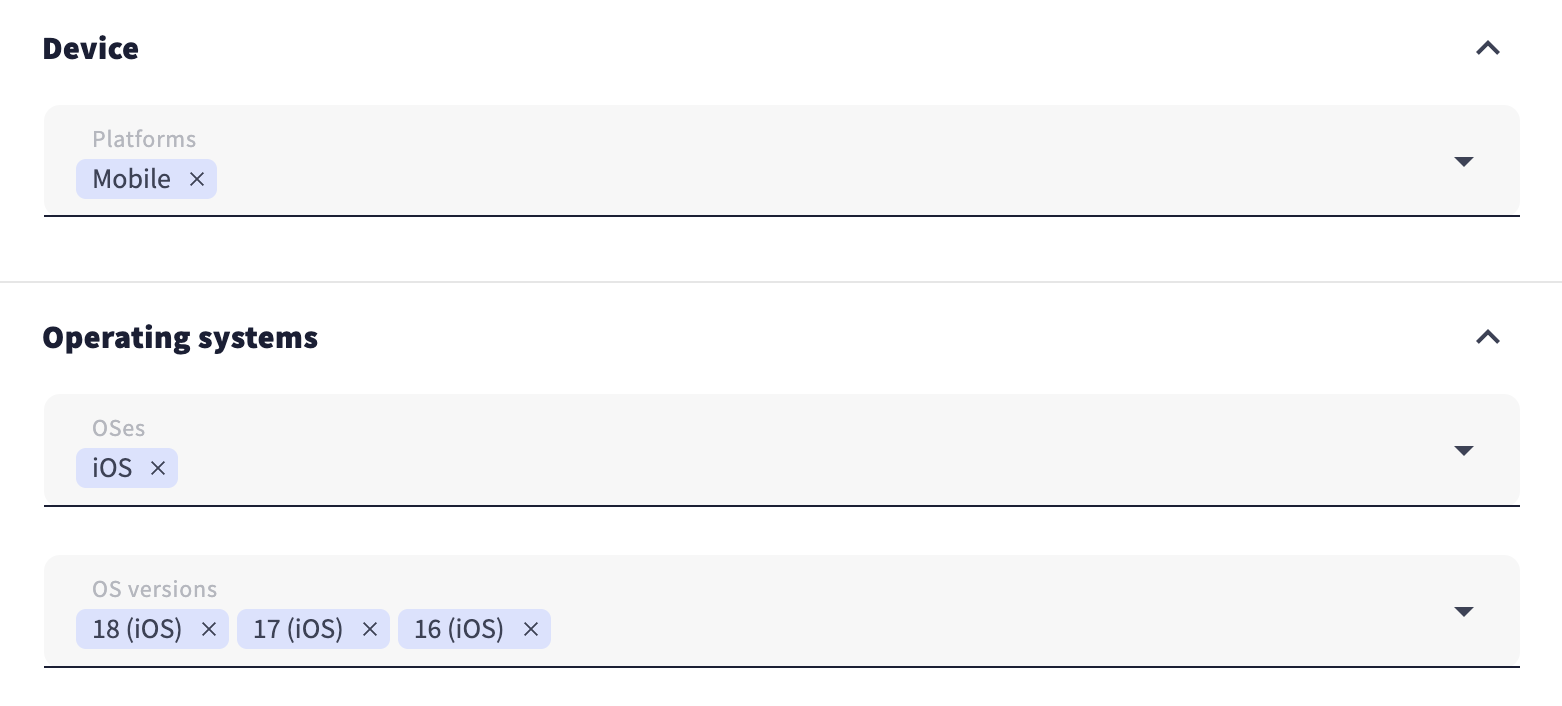
OS: IOS
OS version: IOS 16+
Payout: $10
The results may vary from campaign to campaign due to factors like launch time, GEO, targeting options, and more. That is why we’re not sharing a link to this specific offer to avoid setting unrealistic expectations. However, you can find many similar offers with comparable payouts on CpaRoll, our partner affiliate network.
Alright, let’s roll further and create a new campaign:
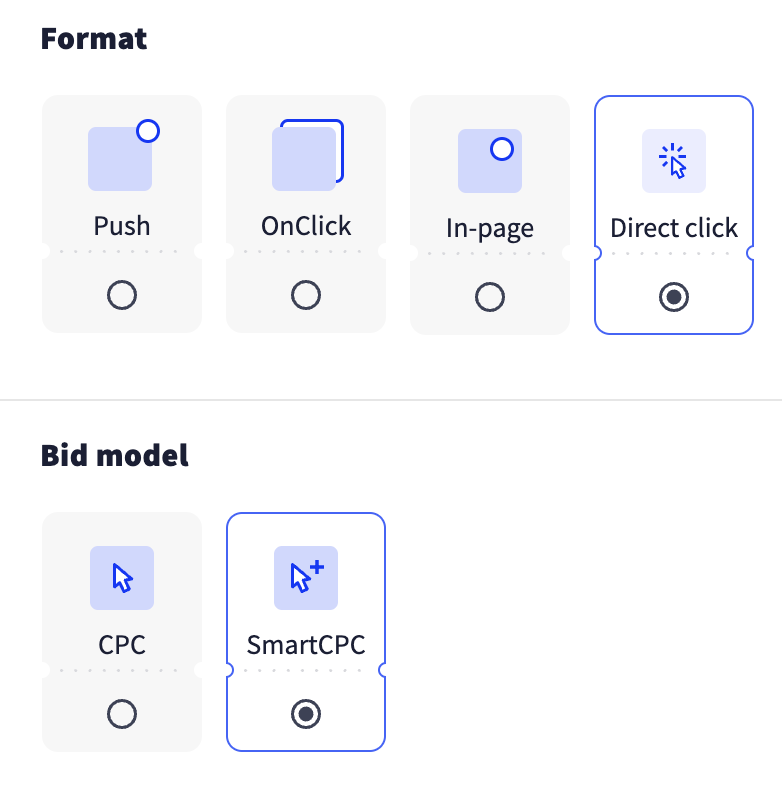
1. Select the Direct Click ad format and choose the SmartCPC bidding model to run a test.
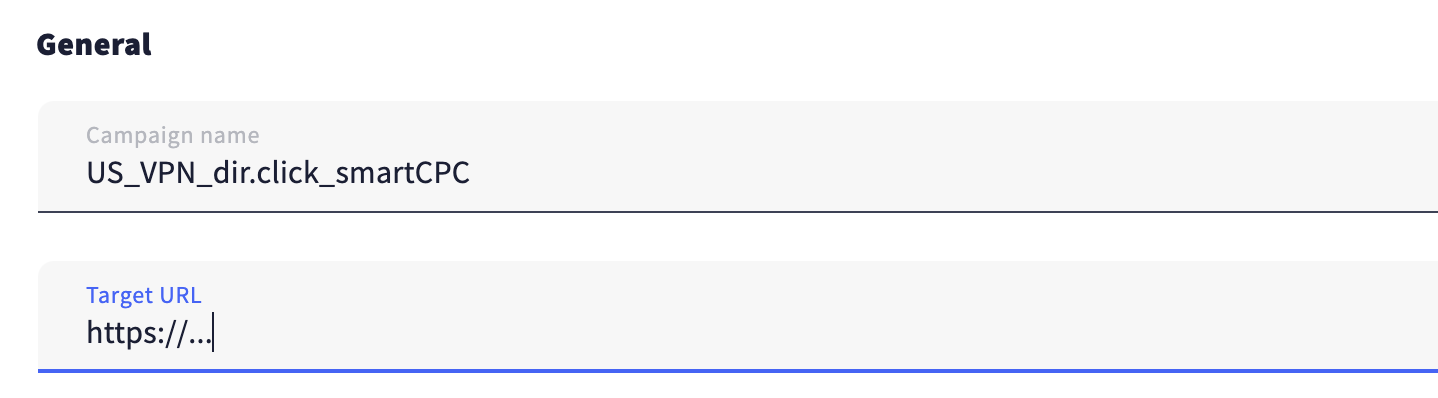
2. Give your campaign a name and enter the Target URL.
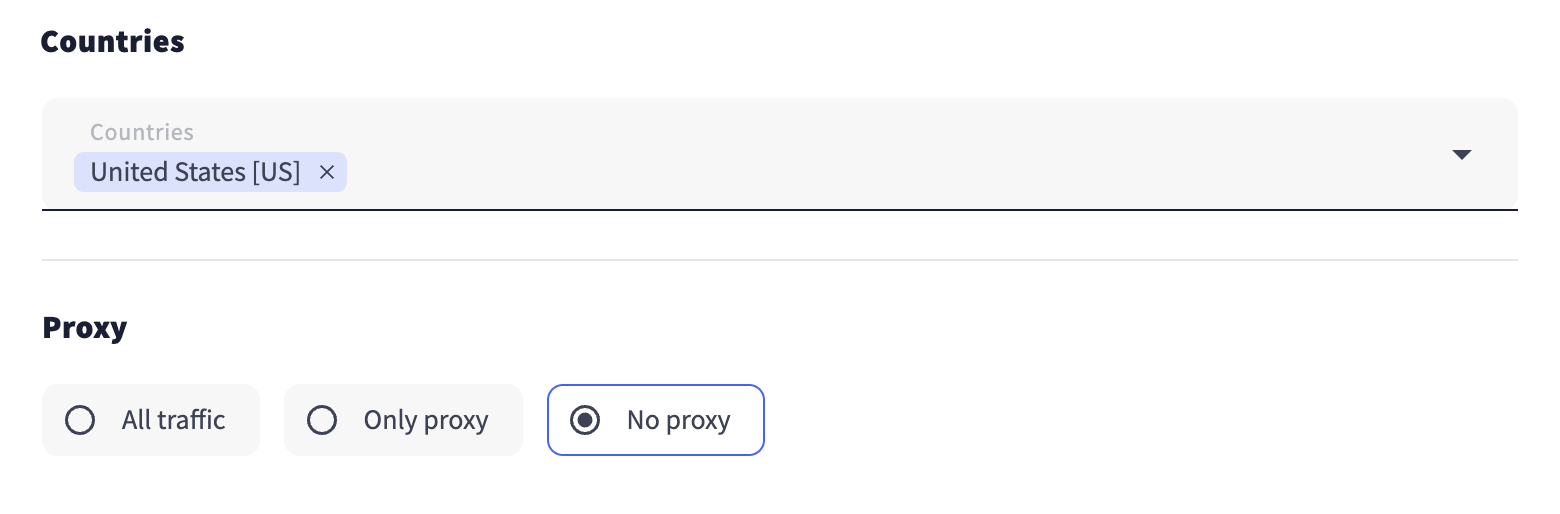
3. Choose the GEO specified in your offer and select a proxy if necessary. In this case, it’s the US with no proxy.
4. The great thing about SmartCPC is that you don’t need to set a specific bid—you can use an average one, which is what we did. Additionally, you can set a maximum CPC (since this cost can fluctuate, it’s always a good idea to consult your account manager for the most accurate bid recommendations).
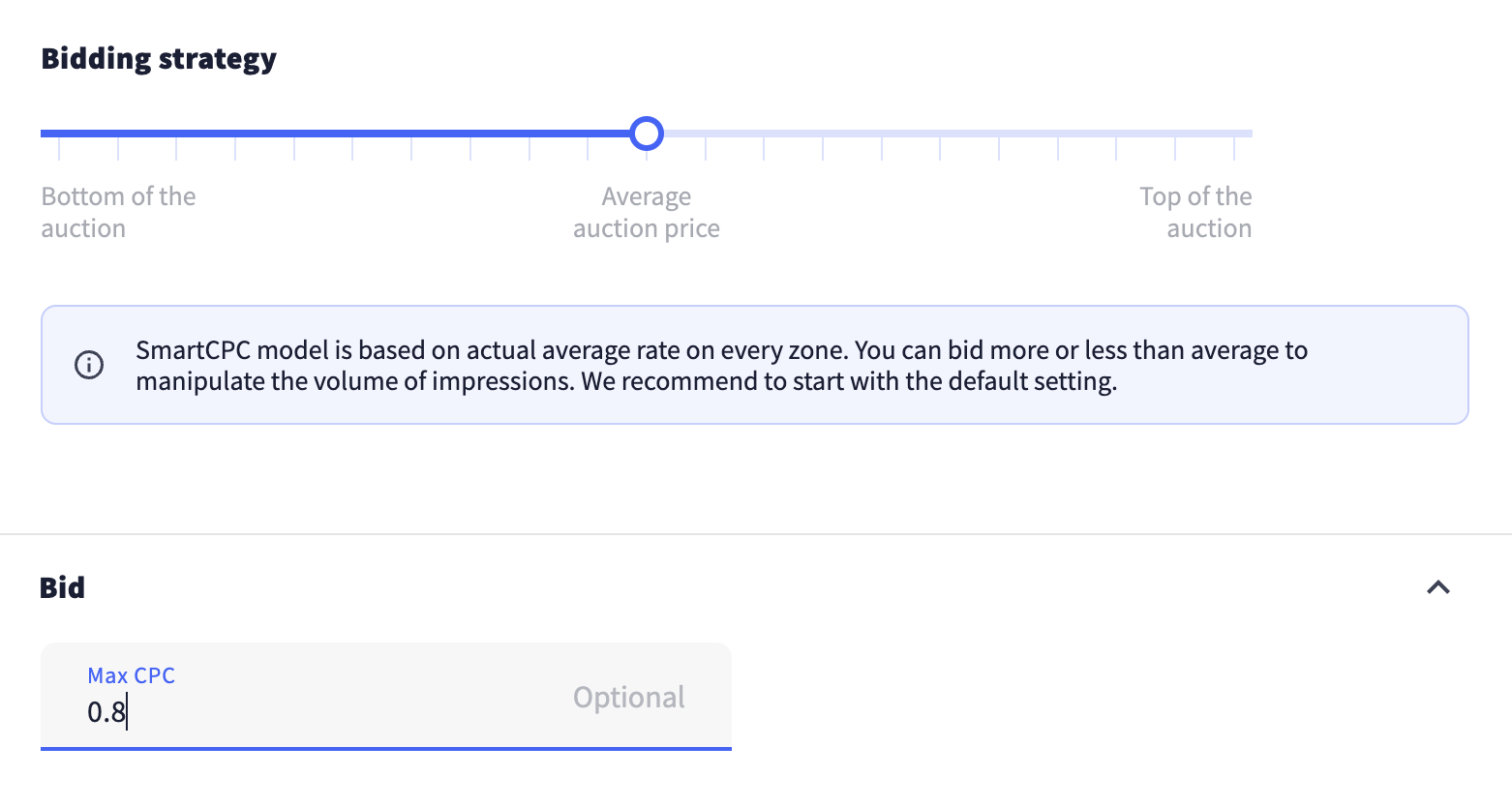
5. During the campaign optimization, we identified the optimal bids for certain feeds and zones to improve ROI and set custom bids accordingly.

6. Next, set the daily and total budgets for the campaign.

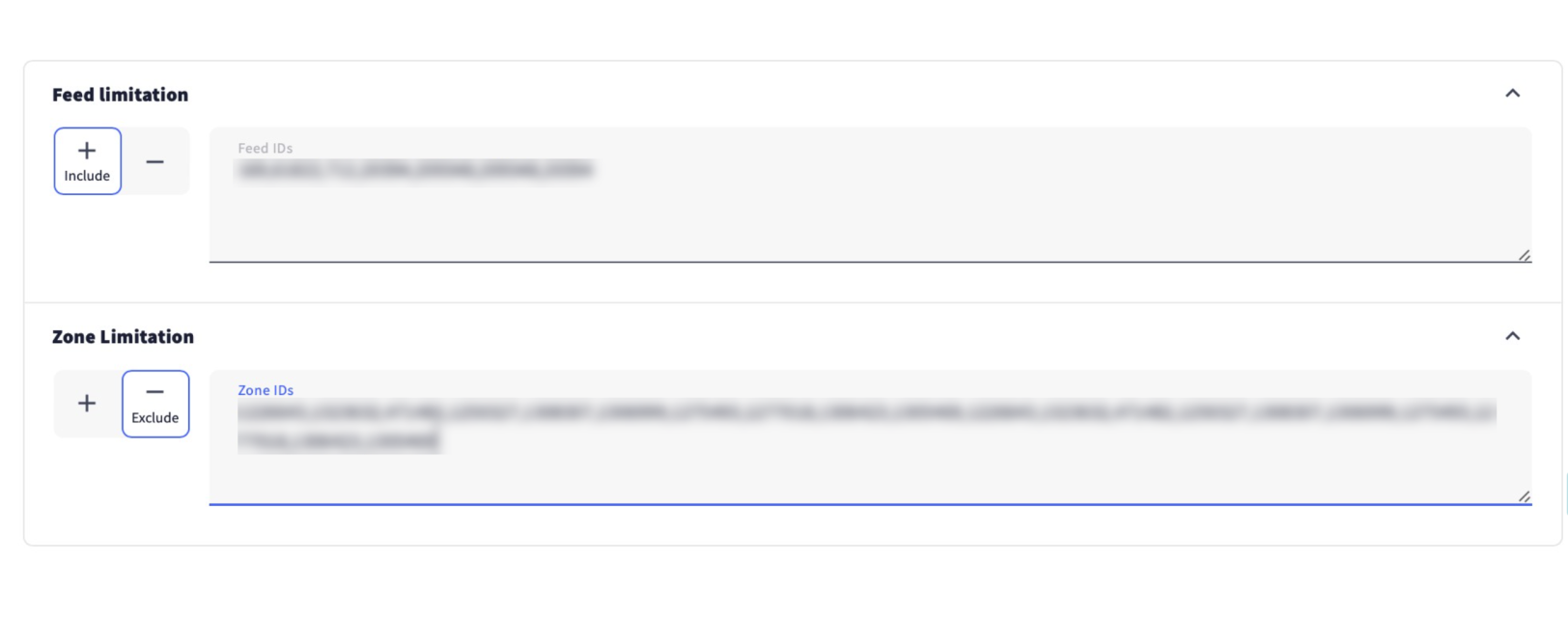
7. RollerAds managers kindly shared with us a whitelist, which we added to Feed limitation. Also, we blocked the underperforming zones.
8. Next, we followed the offer description and set the targeting for devices and operating systems.
Remember to set browser targeting if it’s required by your offer.

9. Save changes and send the campaign for moderation.
Optimization Process
Once our campaign passed moderation and we started receiving traffic, it was time to roll up our sleeves and dive into optimization. We optimized zones and feeds (thanks to the whitelist provided by our account managers).
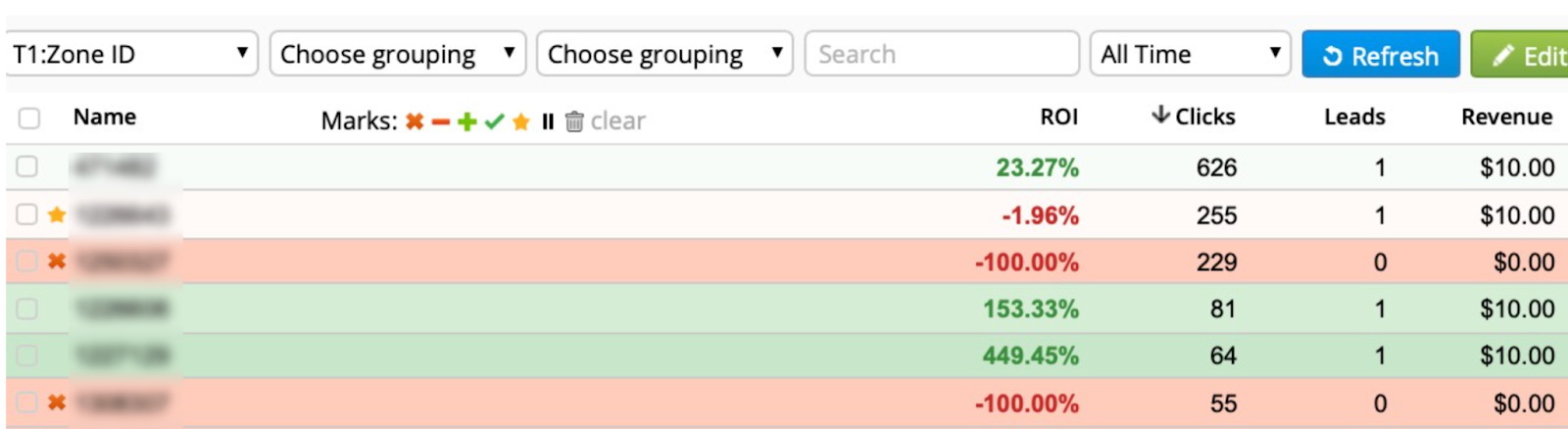
Day 1
On the first day of the campaign, we refined the zones for better results and blocked high-click zones that failed to convert.
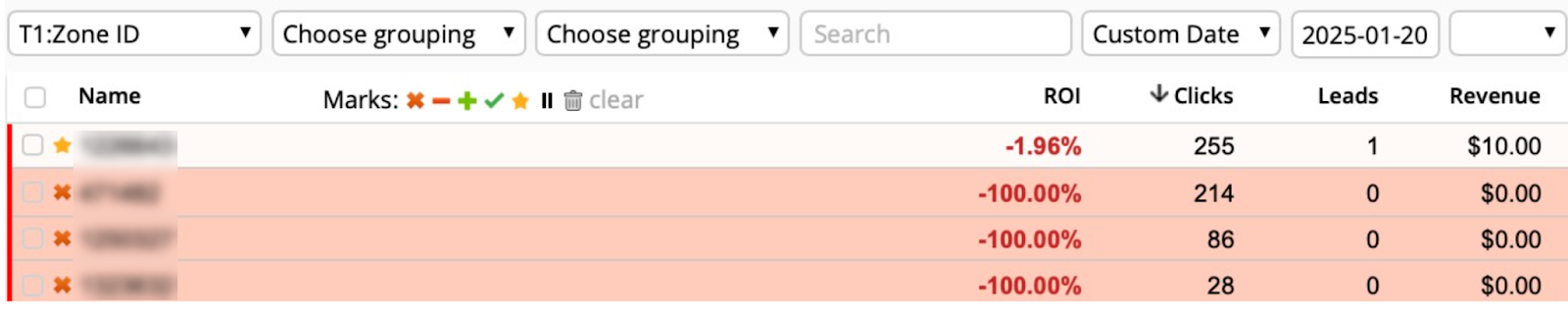
Some zones generated only a few clicks but still led to conversions, suggesting we reached the right audience. However, it was too early to draw conclusions, so we continued monitoring their performance.
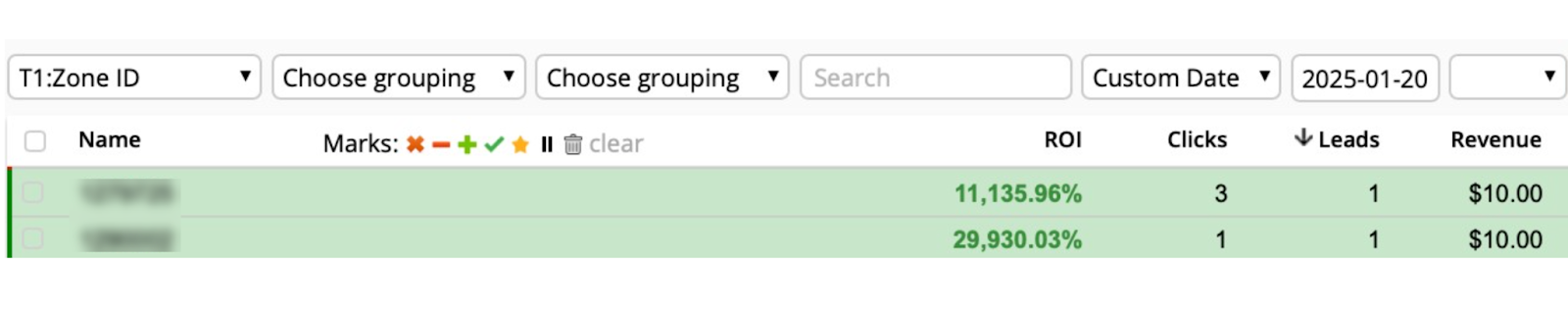
Here are the results from day one:

Day 2
On the second day, we continued optimizing zones using the same approach.


We also optimized OS versions, blocking one underperforming zone that brought zero conversions over both days.

Here are the results from day two:

Day 3
During the third day, we optimized only zones and got the following results:

We also tested several pre-landers and kept only the top performers. In our case, the best LP CTR came from the pre-lander below:

Thanks to thorough optimization, we significantly improved the campaign results and made it profitable:

Instead of Conclusion
Direct Click isn’t just a viable ad format—it’s a top-tier solution that effectively reaches a highly engaged, Tier-1 audience. As you can see from our results, it delivers exceptional performance. Ready to see the same success? Dive in and start driving traffic with Direct Click on RollerAds today!