Affiliate marketing is a fascinating field because, besides logic and quick reactions, it also takes creativity, experimentation, and the ability to turn an idea into results. And some people really do have it down to an art. Take, for example, our media buying experts, who turned one campaign into four profitable ones and, in just nine days, earned 143% more profit than the original campaign would have brought on its own.
And now, we’ll share the whole process with you, from launching the initial campaign and analysing its performance to scaling it with three feed-specific campaigns and reaping the benefits. Let’s get rolling!
Getting ready for the launch
Anyone who has tried to finish a task with notifications popping up every minute knows how quickly focus slips away. Neurolock, an app that blocks digital distractions, was built for exactly this, and it’s the offer our media buyers picked for this campaign.
To reach users who are ready to act, they chose Direct Click, the biggest driver of high-intent traffic on our platform. Below is the full setup.
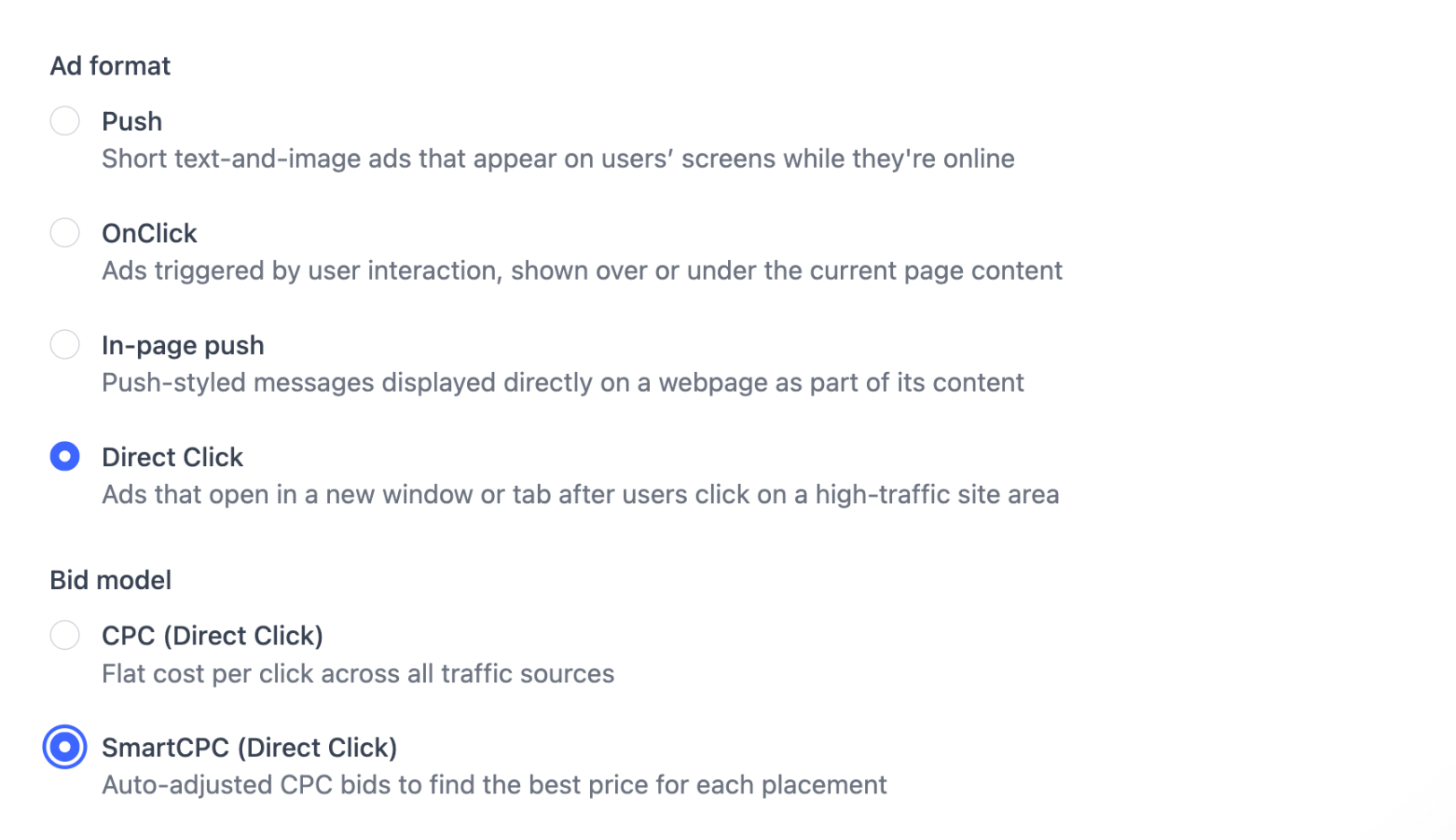
Format: Direct Click
Bid model: SmartCPC
Offer: Neurolock
Vertical: Software & Utilities
GEO: US
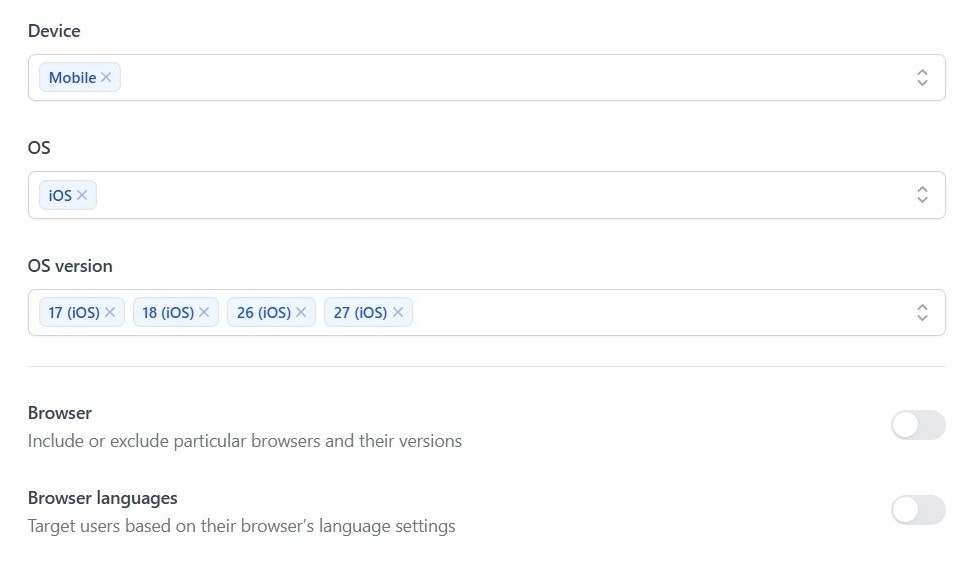
Device: Mobile
OS: iOS
Setting up the campaign
Let’s take the input data and build a campaign with it.
Step 1: In the Campaigns section on the platform, choose Direct Click as the format and SmartCPC as the bid model.
You may ask, “Why did the team decide to pick this model?” The short answer is “It is a solid choice for initial tests because it takes the guesswork out of bidding.” For the longer one, check our case study, where we pit classic bid models against the smart ones to find out the best fit for testing.”
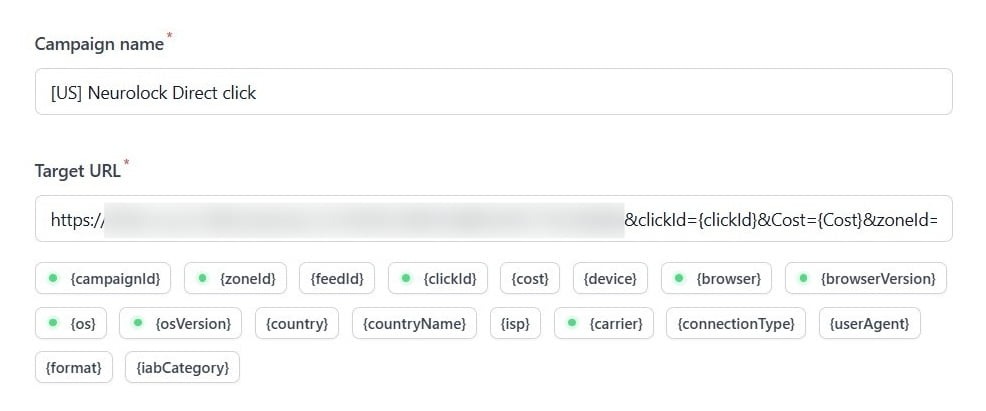
Step 2: Enter the campaign name, GEO, and add the tracking link to the Target URL field.
Step 3: Following the offer requirements, enter the relevant device, OS, and OS versions.
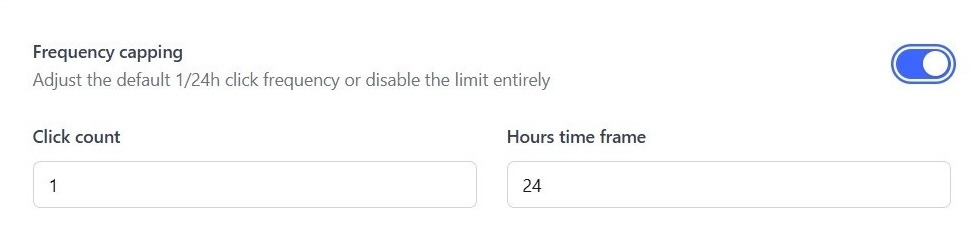
Step 4: We switched on the Frequency capping feature and set it to 1 click per 24 hours.
Step 5: We also didn’t ignore the Max bid option and set $0.015 as the maximum CPC, a reasonable amount in our case.
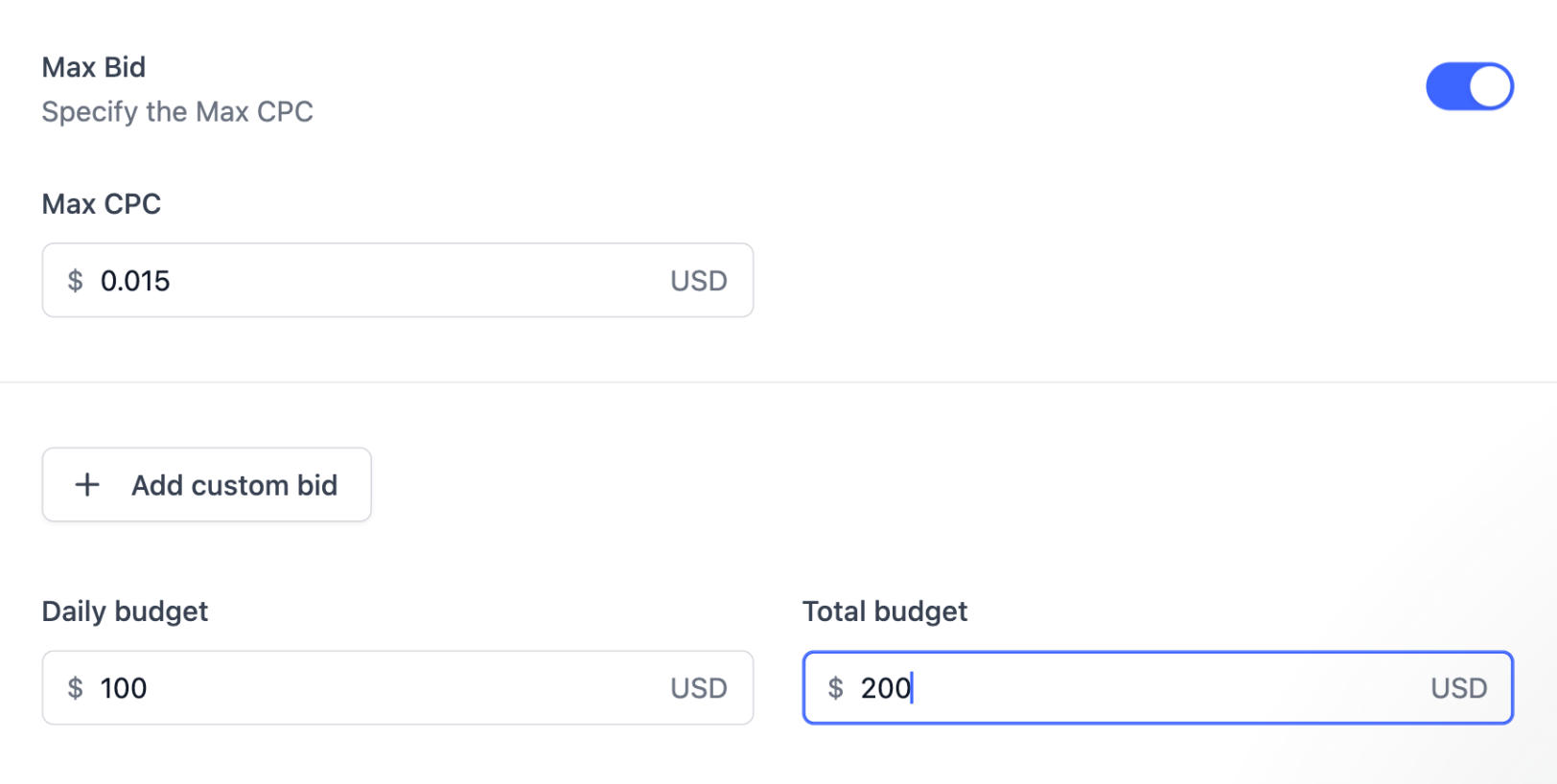
By the way, if you’re not sure how much to bid for each GEO and ad format, check the average bids right on the platform: Campaigns → Rates (filter by GEO and format).
The campaign is ready. Let’s submit it for moderation and start monitoring the results.
The first numbers are in
The campaign didn’t keep us waiting. Just a few hours after the launch, the team spotted two feeds that clearly outperformed the rest.
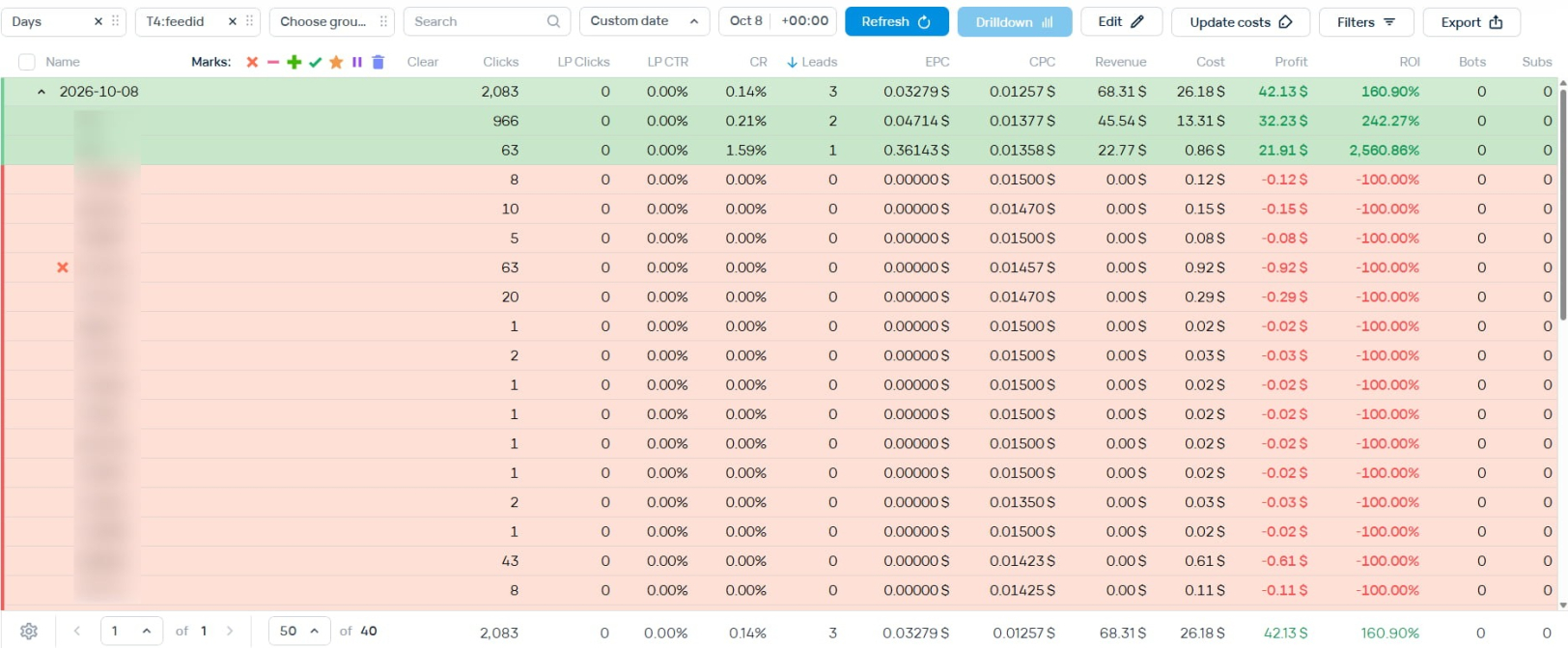
And that’s when the idea came up: why not give each of them a campaign of its own?
Here’s the logic behind it. Inside one campaign, all feeds share the same max bid and settings, so even the strongest ones can’t show their full potential. A separate campaign for each top feed lets you:
- Set a custom bid for it and win more of its traffic
- Optimize its zones independently, without the other feeds blurring the picture
- See exactly how much each feed brings and scale what works
In other words, it’s a way to get more traffic and conversions from what already performs, and to start earning more right away instead of waiting for the test to end.
And no, if you think that was the end of the initial campaign, it’s not. It kept running in parallel with the new ones, and the team kept doing its mundane work: checking the performance by zones and feeds and stopping those that failed to bring any results.
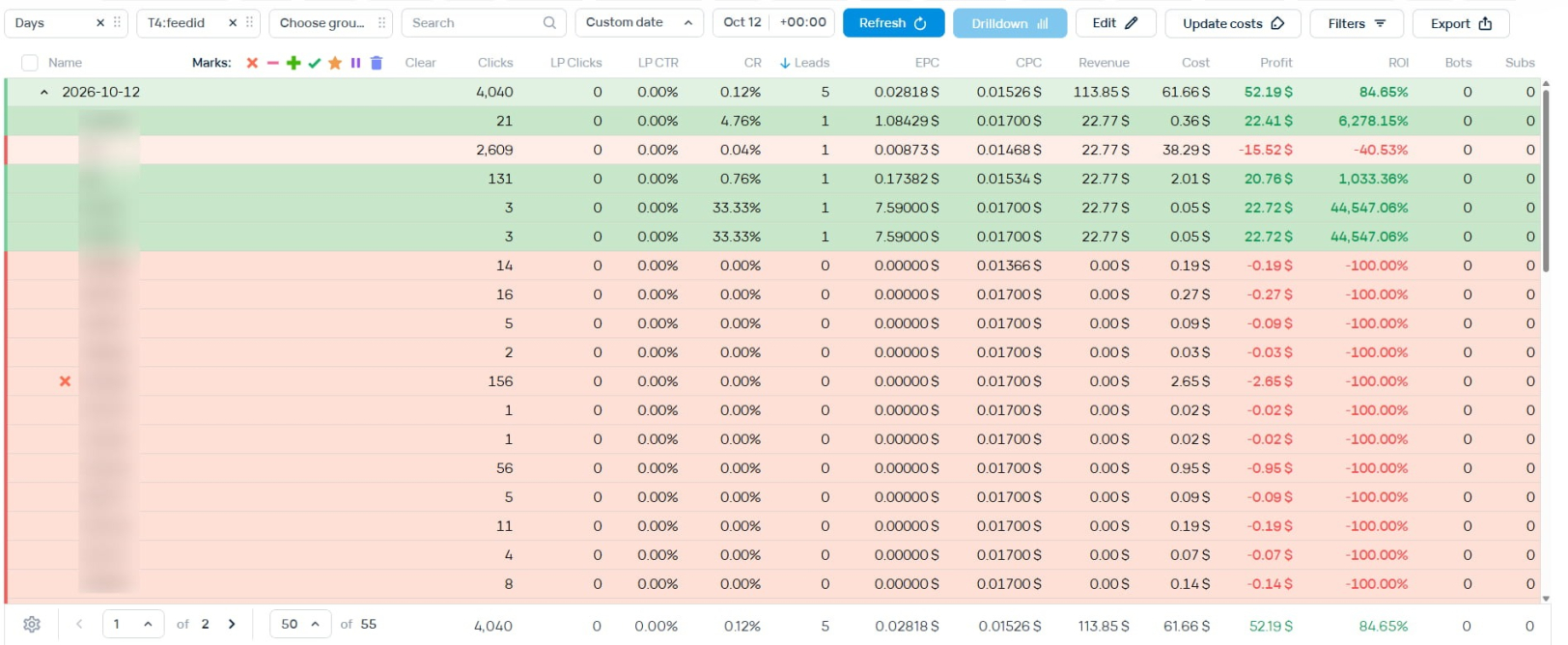
On day five, some other feeds made it to the top. However, only one got a separate campaign with custom bids, as it outperformed the rest in terms of traffic volume (the one with 131 clicks).
Launching three separate campaigns
With the plan in place, the team copied the initial campaign’s setup for each of the three top feeds (two of them on day 1, the third on day 5), keeping the same targeting and adjusting only the bids. Here’s how they played it.
Campaign 1 (Feed A): The bid went a bit higher than in the initial campaign. It was done to get more traffic while staying in the green even if conversions fluctuated. The budget stayed the same as in the initial campaign, with the option to adjust it later if needed.
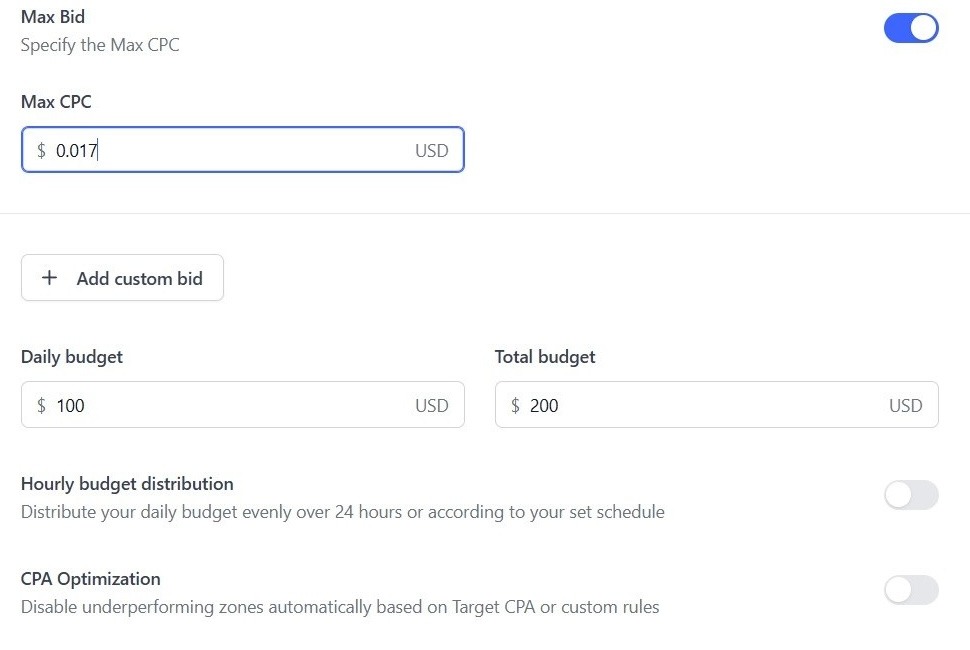
Campaign 2 (Feed B): Here, the team let loose and set the bid even higher than in the other two. The budget settings stayed the same.
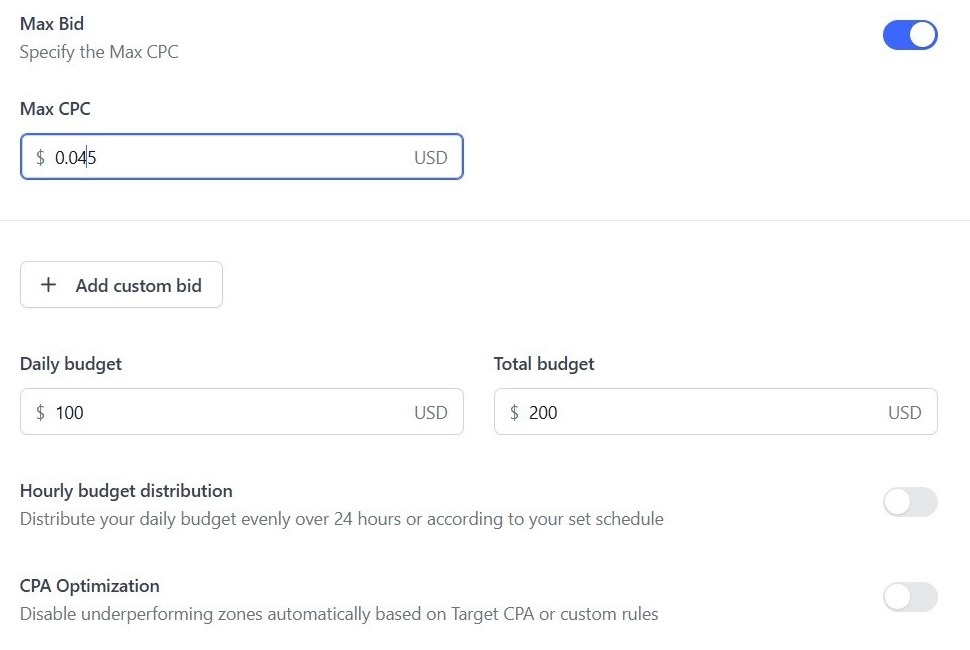
Campaign 3 (Feed C): This one also got a higher bid to capture more traffic. Same story with the budget.
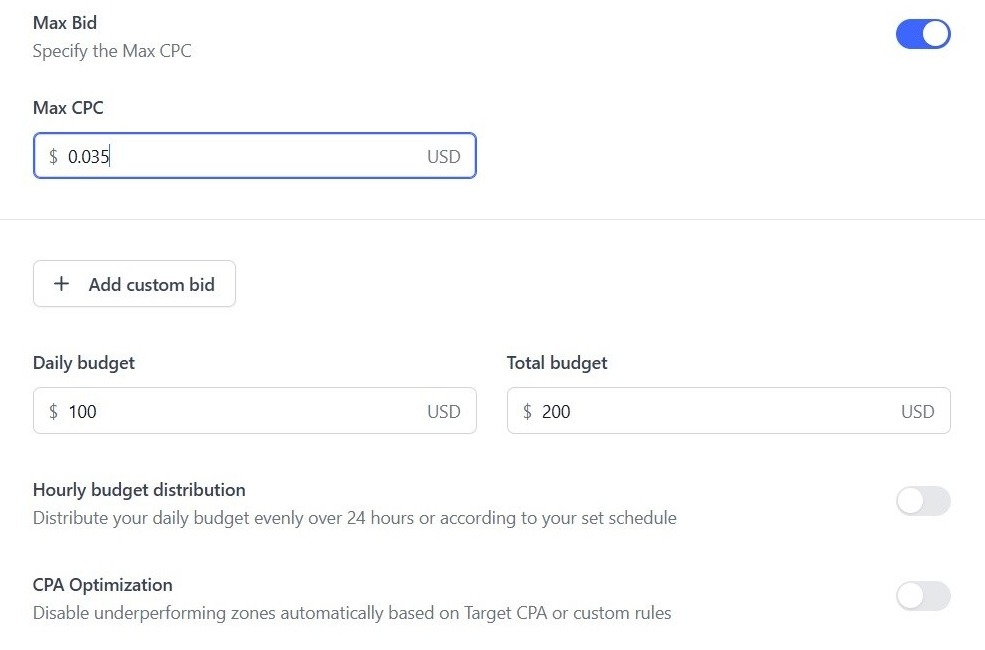
Time for final results
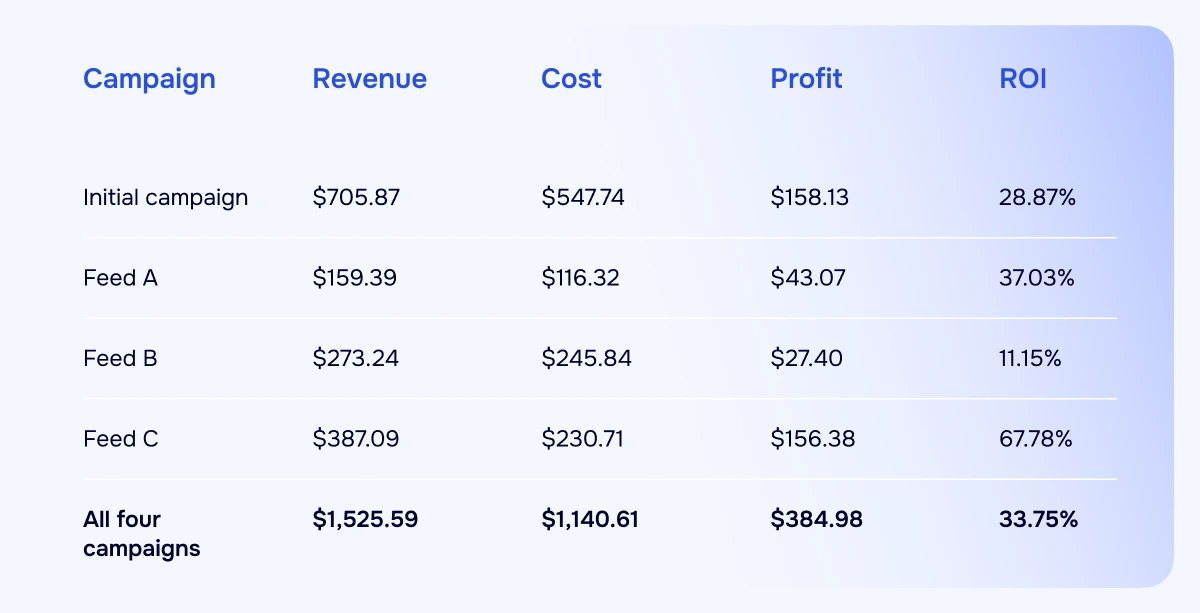
All campaigns ran in parallel for nine days, from October 8 to 16, except Campaign 3, which ran for 5 days. And the screen below speaks for itself: every single one of them ended up in the green.

The star of the show is Feed С, with 67% ROI. On its own, it brought in nearly as much profit as the initial campaign. Feed В turned out to be the most modest, but even with the highest bid, it stayed profitable and added its share to the total.
Now, the main thing. On its own, the initial campaign would have earned $158.13 over these nine days. Together with the three feed-specific campaigns, the team made $384.98, which is 143% more profit in the same period.
And while the spend roughly doubled, the overall ROI didn’t drop. It actually went up, from 28.87% to 33.75%. A real feast for the eyes, and enough to treat the team to a real feast, too. Mission accomplished.
Mobile Software & Utilities campaigns on Direct Click: 5 tips to keep in mind
A profitable campaign is a good start. The next step is figuring out how to get more traffic and conversions without losing sight of what’s already working.
In this case study, our team split a Direct Click campaign into separate feed-specific campaigns and adjusted bids to bring in more volume. The results offer a few useful lessons for anyone running mobile Software & Utilities offers.
Before you launch a similar campaign, keep these five tips in mind. They cover the settings worth paying attention to at launch, what to check as data comes in, and where to start when it’s time to optimize.
1. Pick your GEOs and OS wisely. In this vertical, targeting iOS 18 and newer is usually a safe bet: it tends to bring better performance and higher-quality traffic. As for GEOs, go for Tier 1 countries like the US, UK, Japan, Australia, and France. They work best for Software & Utilities offers and come with better payouts.
2. Don’t rush to filter browsers. At the start of a campaign, skip browser whitelists and blacklists so you get as much traffic as possible. You can always say goodbye to underperforming browsers later, at the optimization stage.
3. Keep an eye on the clock. If your campaign runs for more than a week, check its performance by hour. Then tweak the schedule to cut the hours that bring few or no conversions.
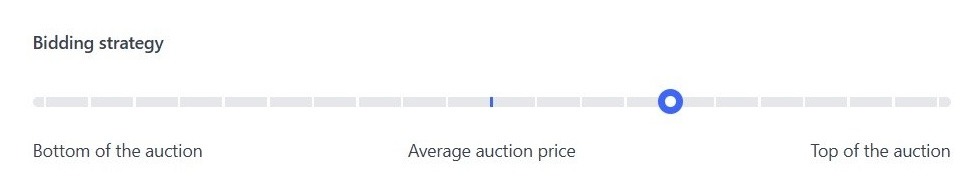
4. Start low, then raise the stakes. For RON launches, it’s better to start with minimum or medium bids and raise them later if needed, or set higher custom bids for specific feeds, like our team did in this case study. And if the launch turns out to be a success, you can push your auction price up by moving the bid slider to the right.
5. Optimize zones before feeds. For your first round of optimization, start with zones rather than feeds. Block an entire feed, and you may lose the converting zones hiding inside it. The best time to block a zone is when it has spent twice your target conversion cost without bringing a single lead.
Closing thoughts
There are plenty of ways to turn your campaigns into profit: just tap into your creativity and test your ideas. And don’t forget to keep a close eye on performance so you can catch any misbehavior early.
And if the wells of your imagination run dry, just drop us a message. Our support team and account managers will be happy to help your creativity spread its wings and fly. Wishing you profitable tests and green numbers!