cutom bids

New feature: custom bids

In a new update, RollerAds added Custom Bids, a feature that will help you further customize your ad campaigns. This tool is designed to test zones separately and optimize your costs.

You can choose any number of desired zones to set up your own values for custom bids.
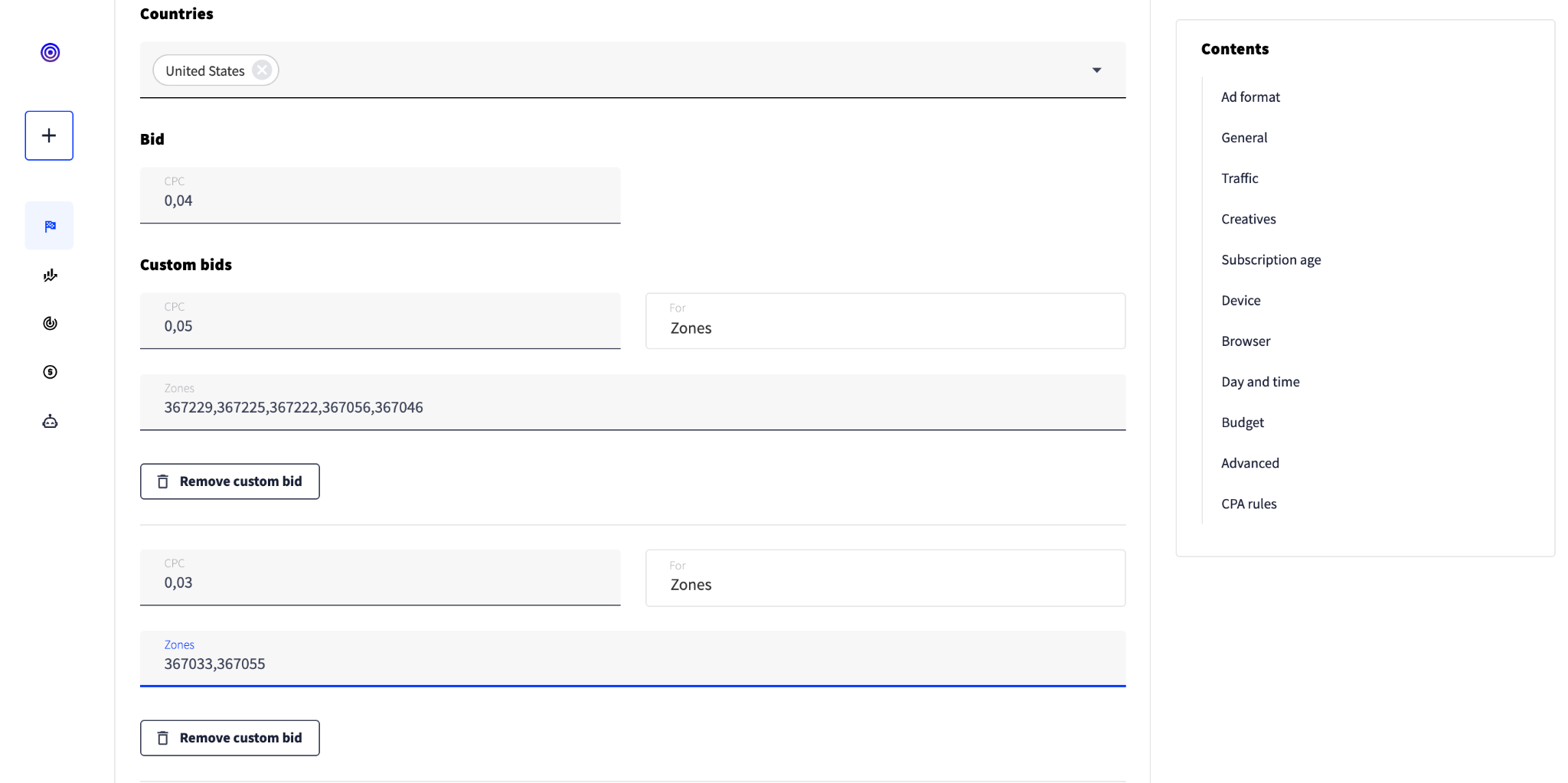
To do this, simply add the zones you want to focus on in the line after the CPC value in custom bid. You can write them down in a row manually or copy and paste the best performing ones from the Statistics menu.

Go to your account and try a new feature!

Recent Posts

  • Top strategies in affiliate marketing this spring

    Top strategies in affiliate marketing this spring

    Discover proven growth hacks—from Direct Click and desktop traffic to domain redirects and smart testing—to boost conversions without wasting budget.
  • New RollerAds open beta: The full-cycle ad network

    New RollerAds open beta: The full-cycle ad network

    New RollerAds is in open beta. Explore the revamped full-cycle ad platform with one dashboard for all roles, a built-in CPA network, and a full mobile version.
  • RollerAds guide to Sites

    RollerAds guide to Sites

    Learn how to monetize your websites and landing pages with RollerAds Sites section. Connect your site, pass moderation, add placements, and start earning.
  • RollerAds guide to Campaigns

    RollerAds guide to Campaigns

    Learn how to add funds, create a campaign, set up postbacks for conversion tracking and smart bidding, read your stats, and scale winning strategies.
  • RollerAds guide to Offers

    RollerAds guide to Offers

    Learn how to navigate the RollerAds dashboard, pick offers, set up postbacks, connect your wallet, and track your first results.